LAZADA APP CONSOLE REGISTRATION
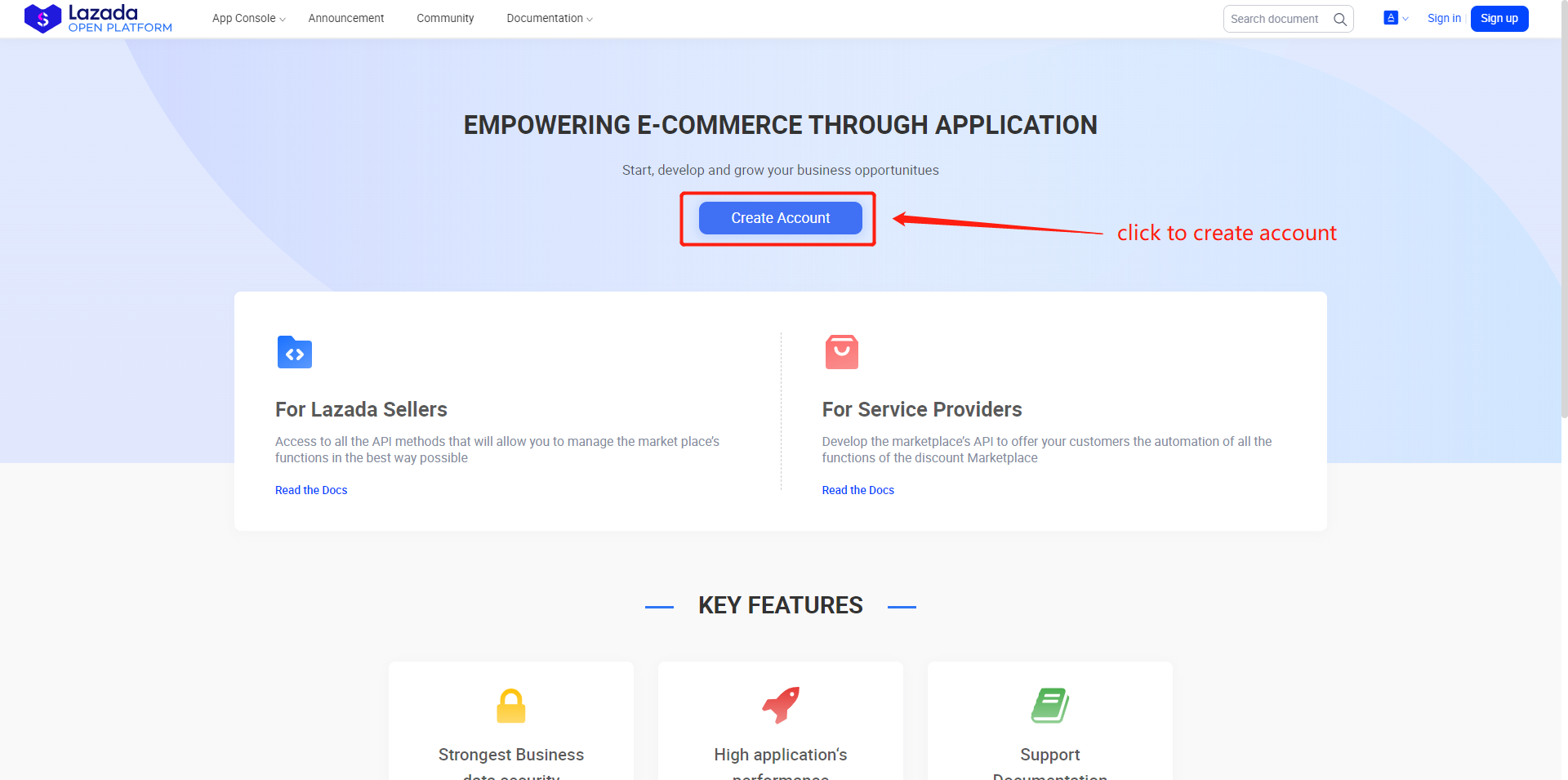
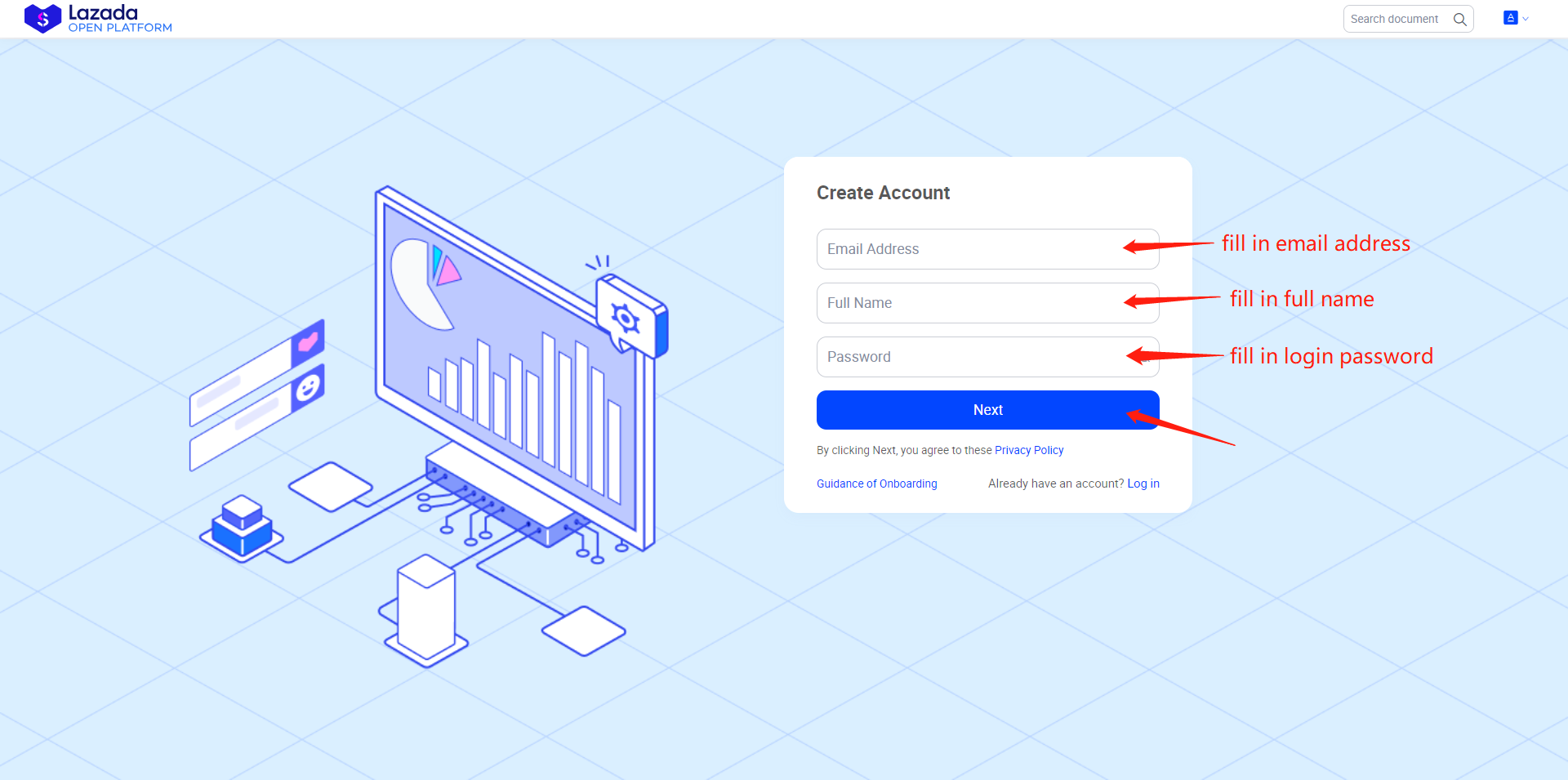
2. Fill in your personal information such as email address, full name and password.
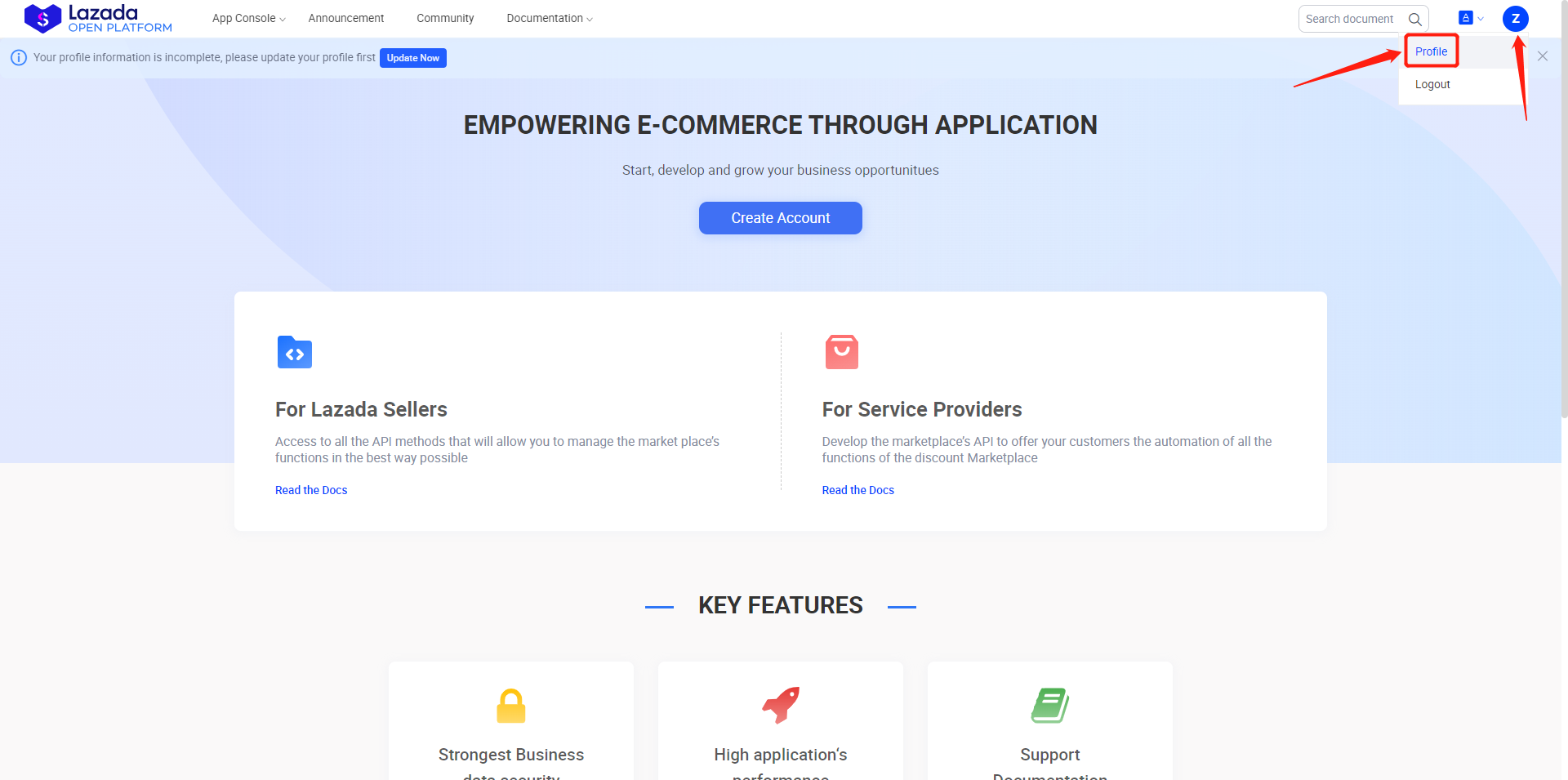
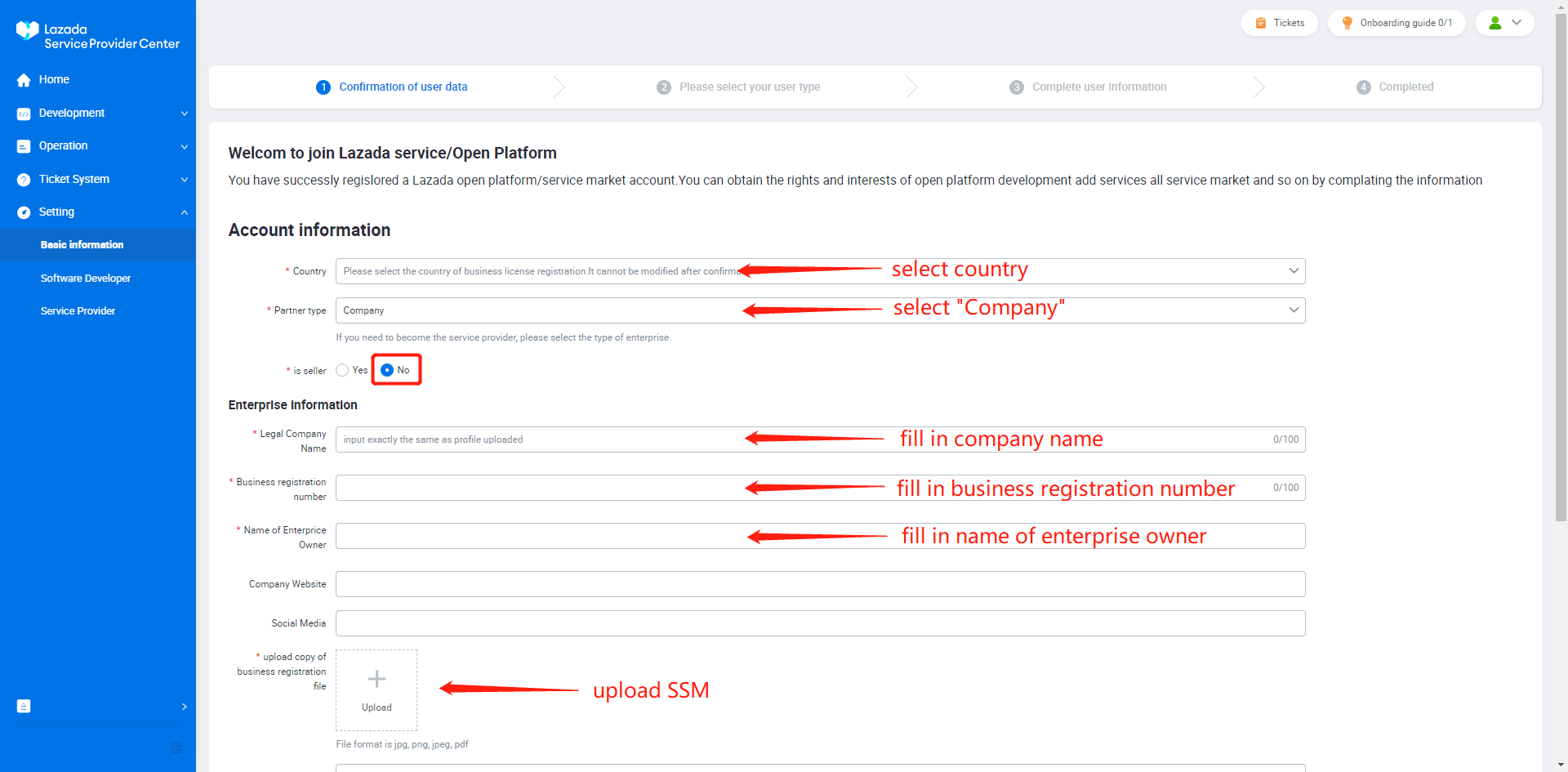
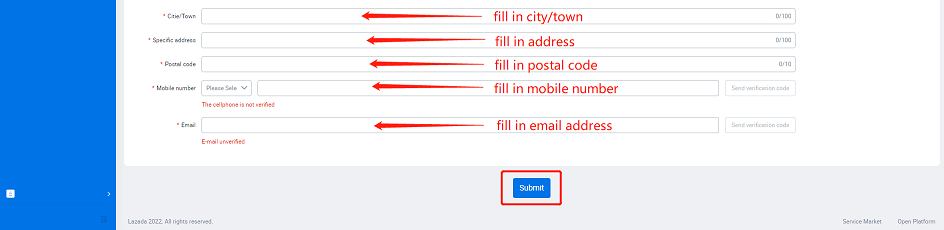
3. After creating an account, please go to “Profile” and fill in all the field (can refer to the screenshot below) and wait for LAZADA to approve.

4. After your account profile has been successfully approved, please select both "software developer" & "service provider" to register.
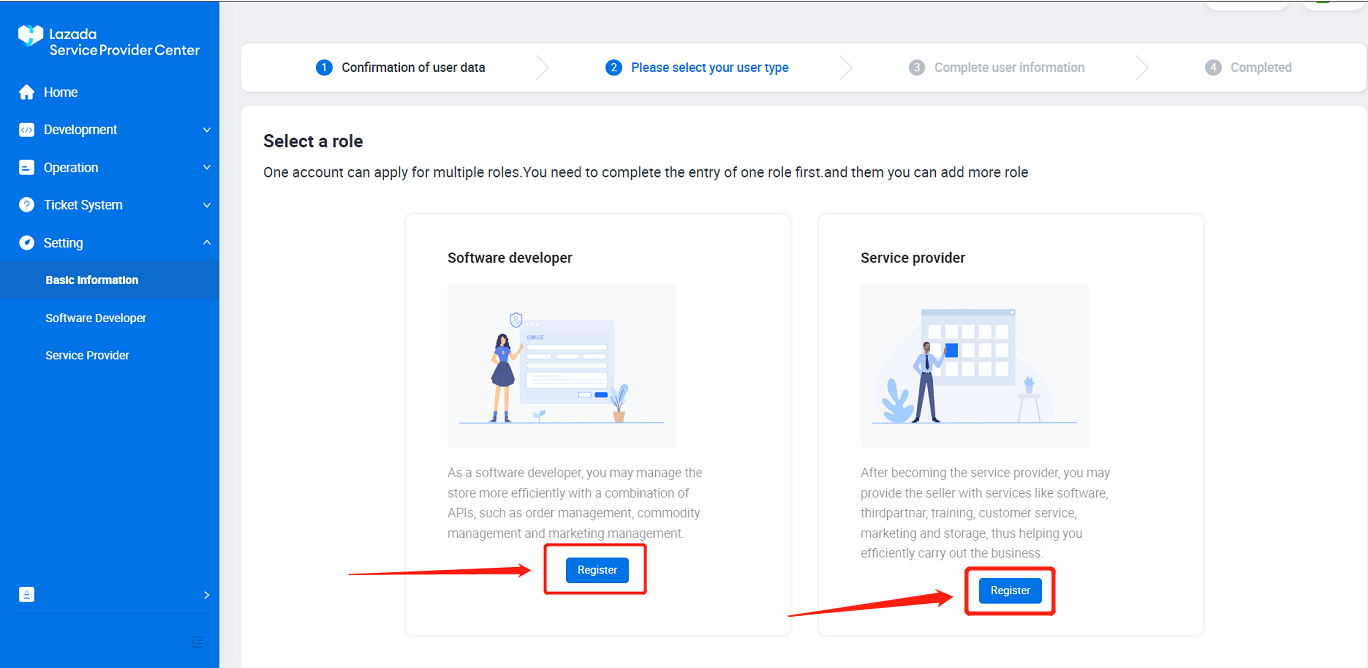
i. Software Developer
- Introduction to fill in: "We fulfill Lazada Seller's orders using our system".
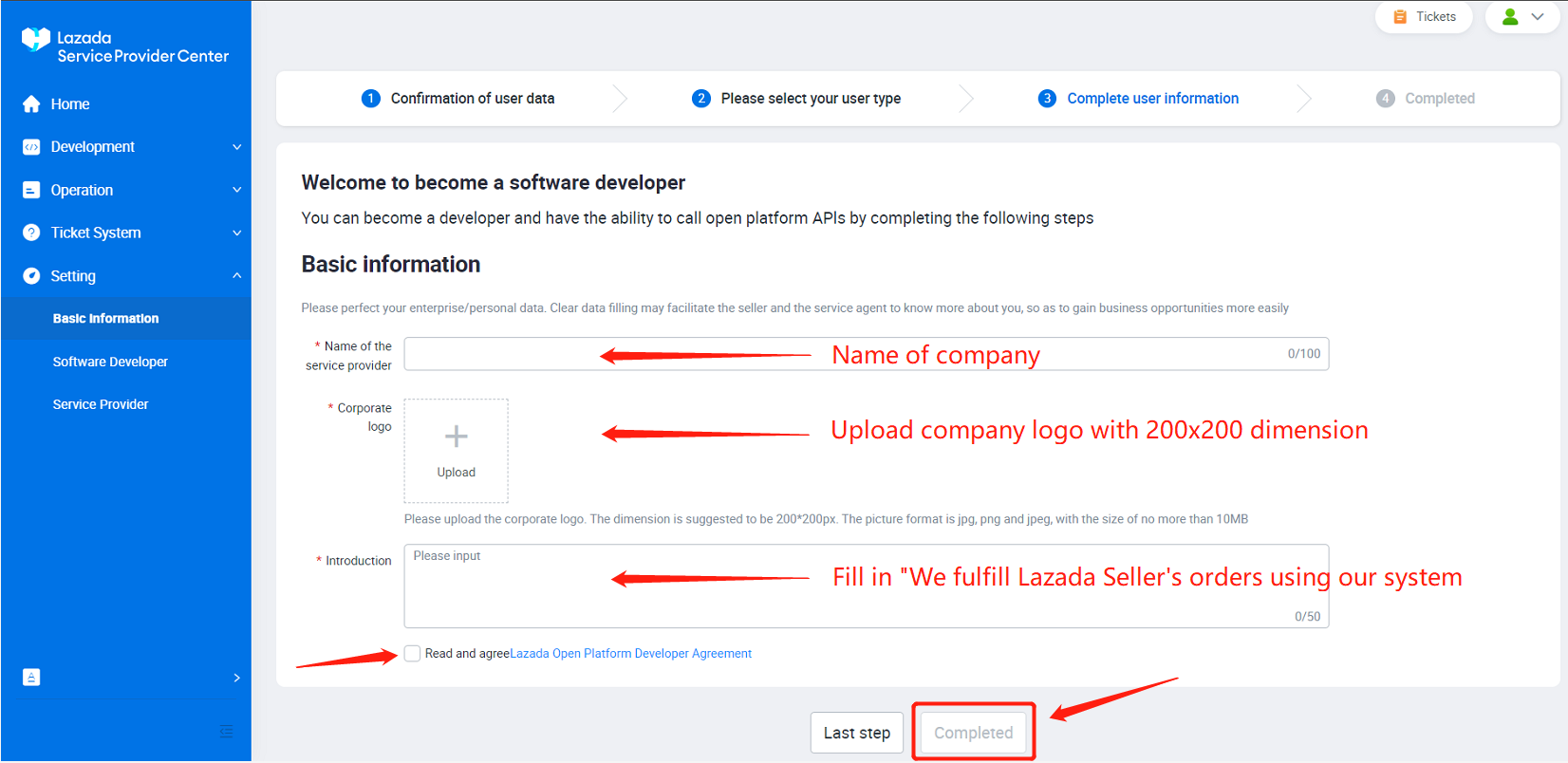
ii. Service Provider
- Introduction to fill in: "We fulfill Lazada Seller's orders using our system".
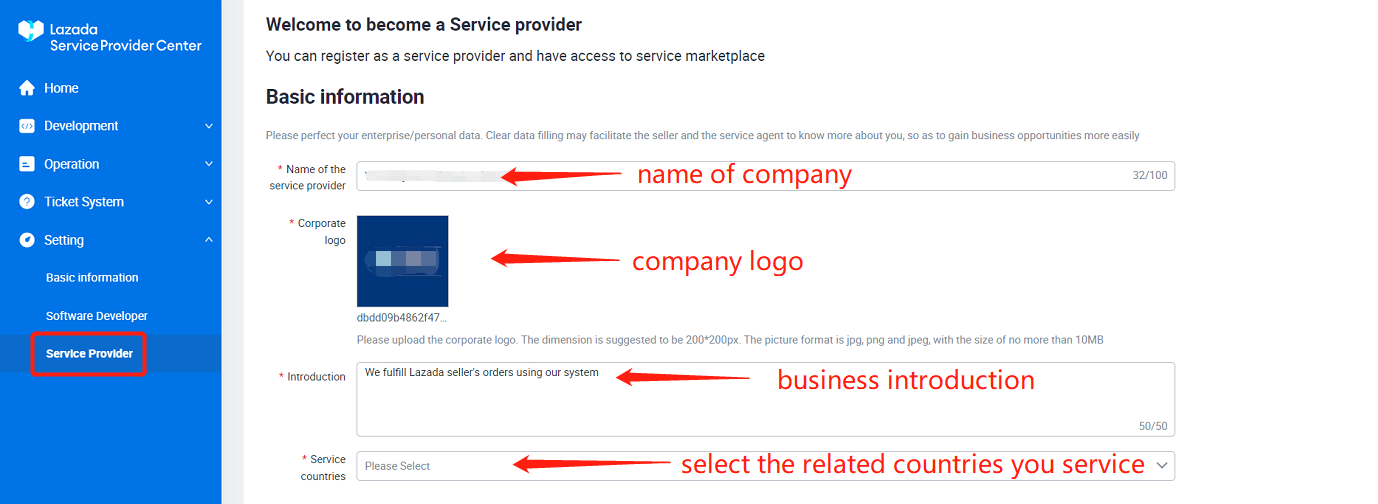
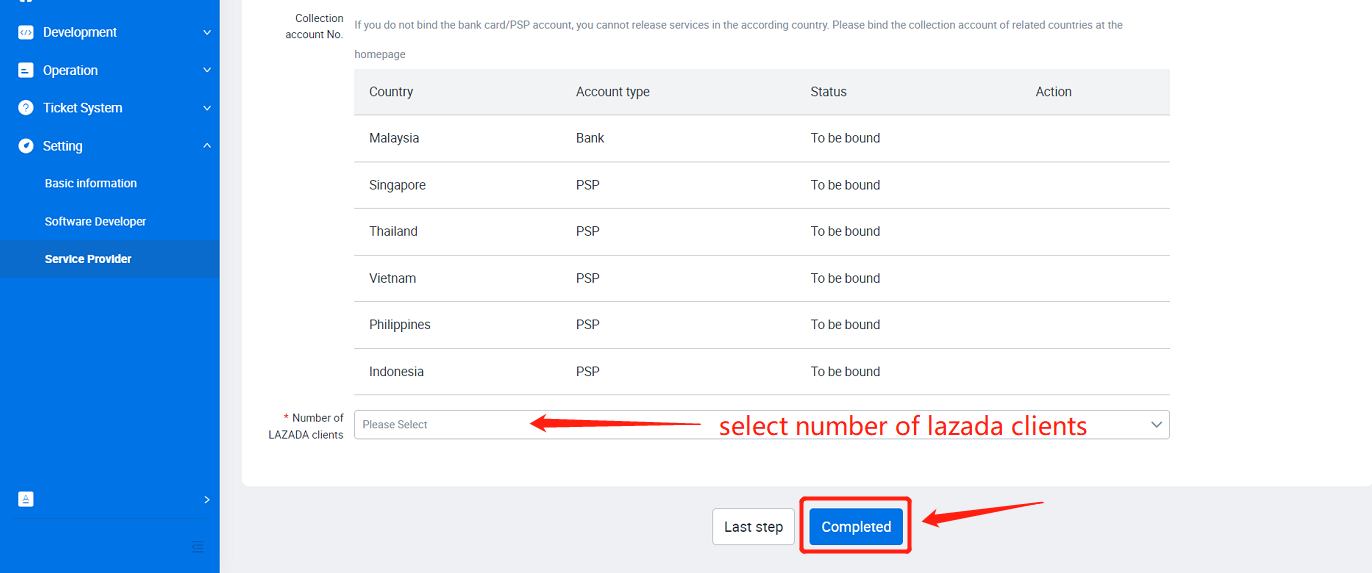
5. Apply service qualification
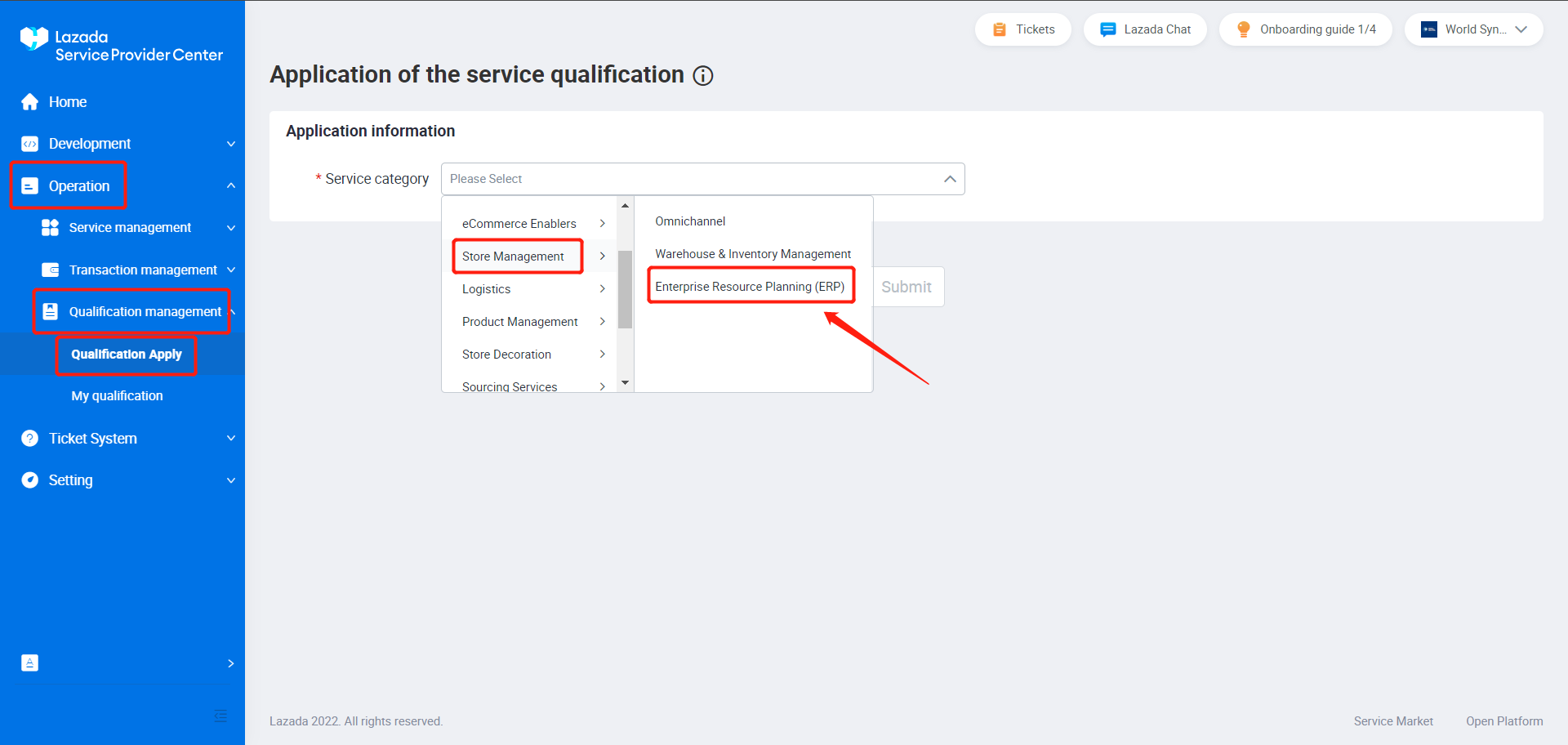
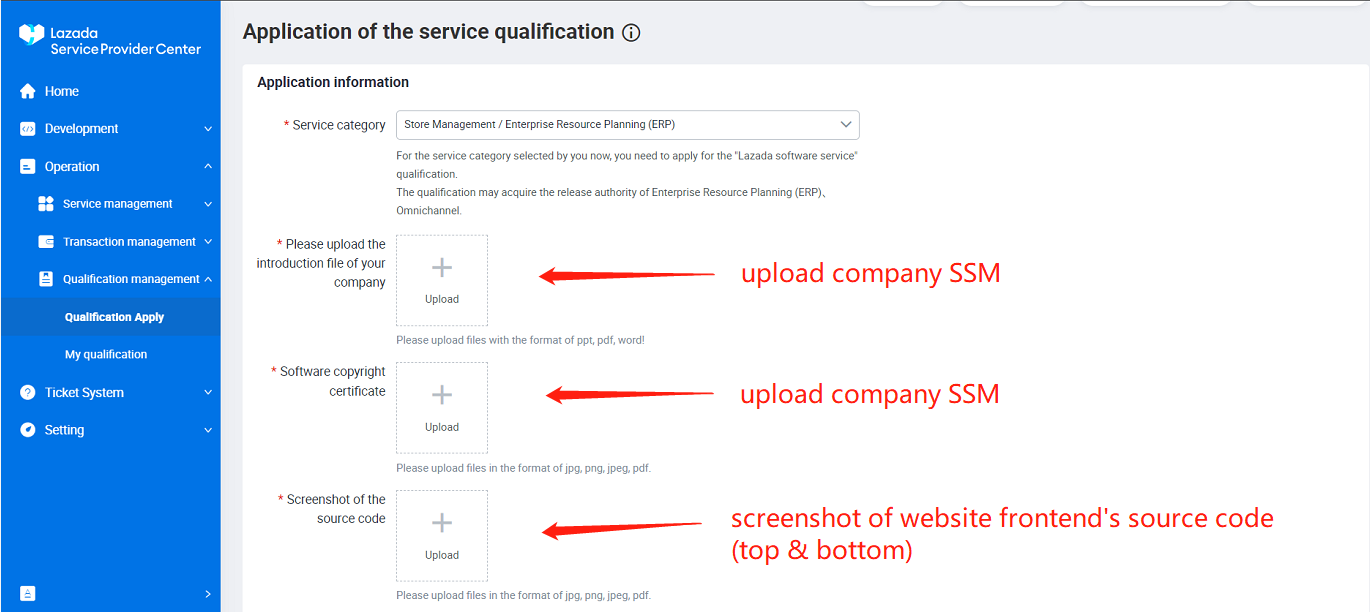
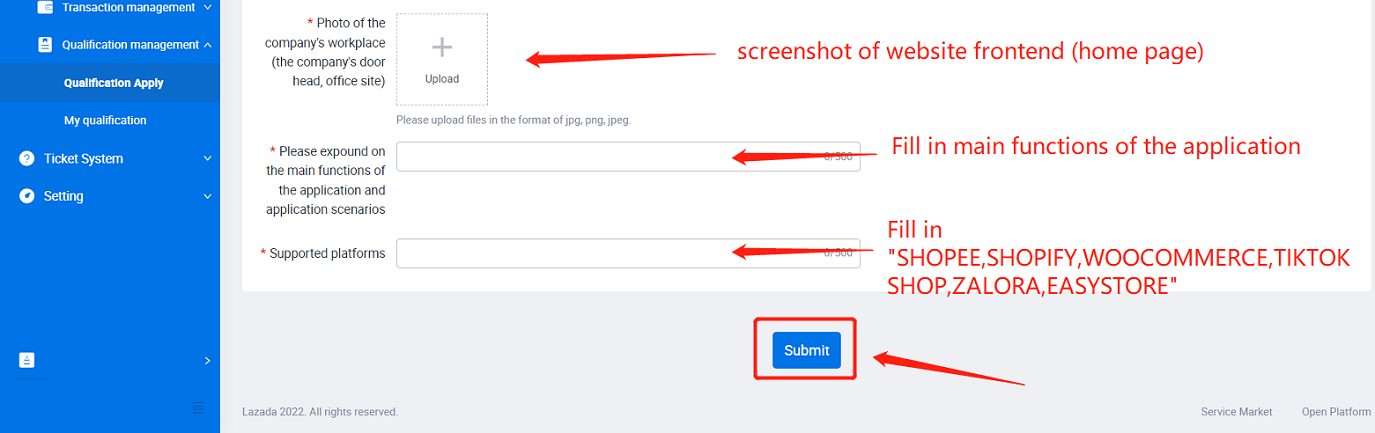
Main function of application to fill in:
- User able to sync order from LAZADA then the warehouse user able to pick the product according to the LAZADA order then give it to the logistics service then to end customers.
Supported platforms to fill in:
- SHOPEE,SHOPIFY,WOOCOMMERCE,TIKTOK SHOP,ZALORA,EASYSTORE
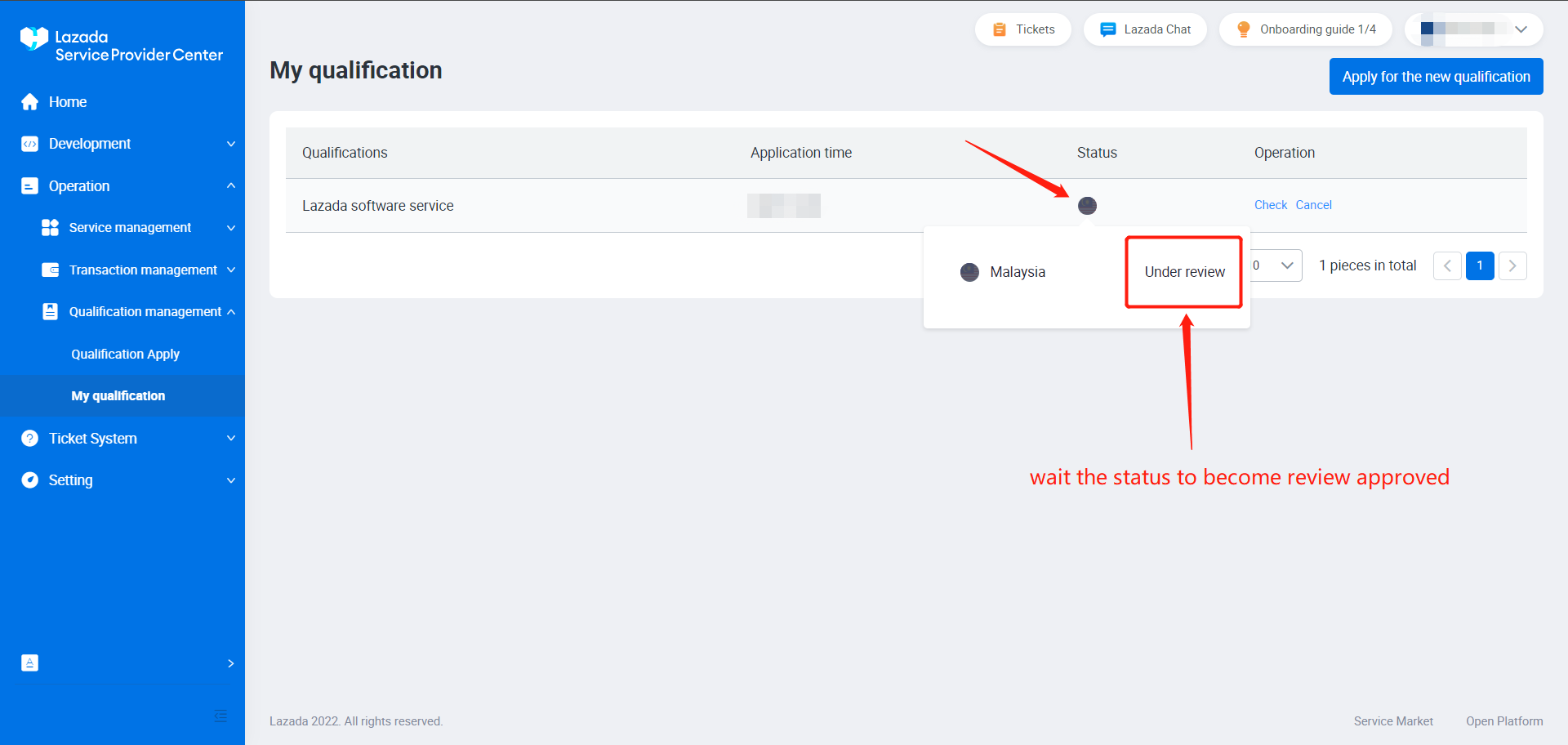
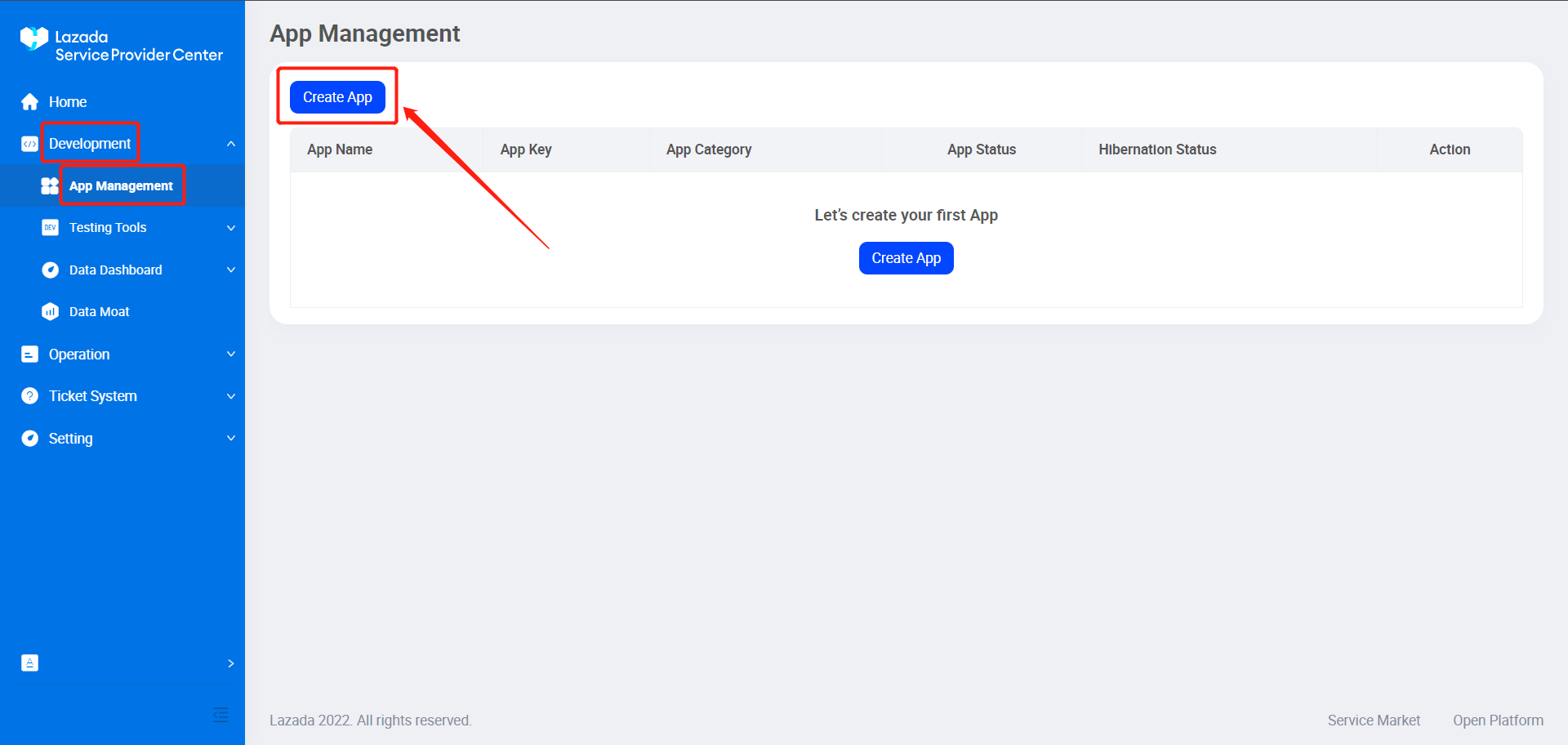
6. After your qualification materials have been approved, please go to App Management & apply for ERP system.
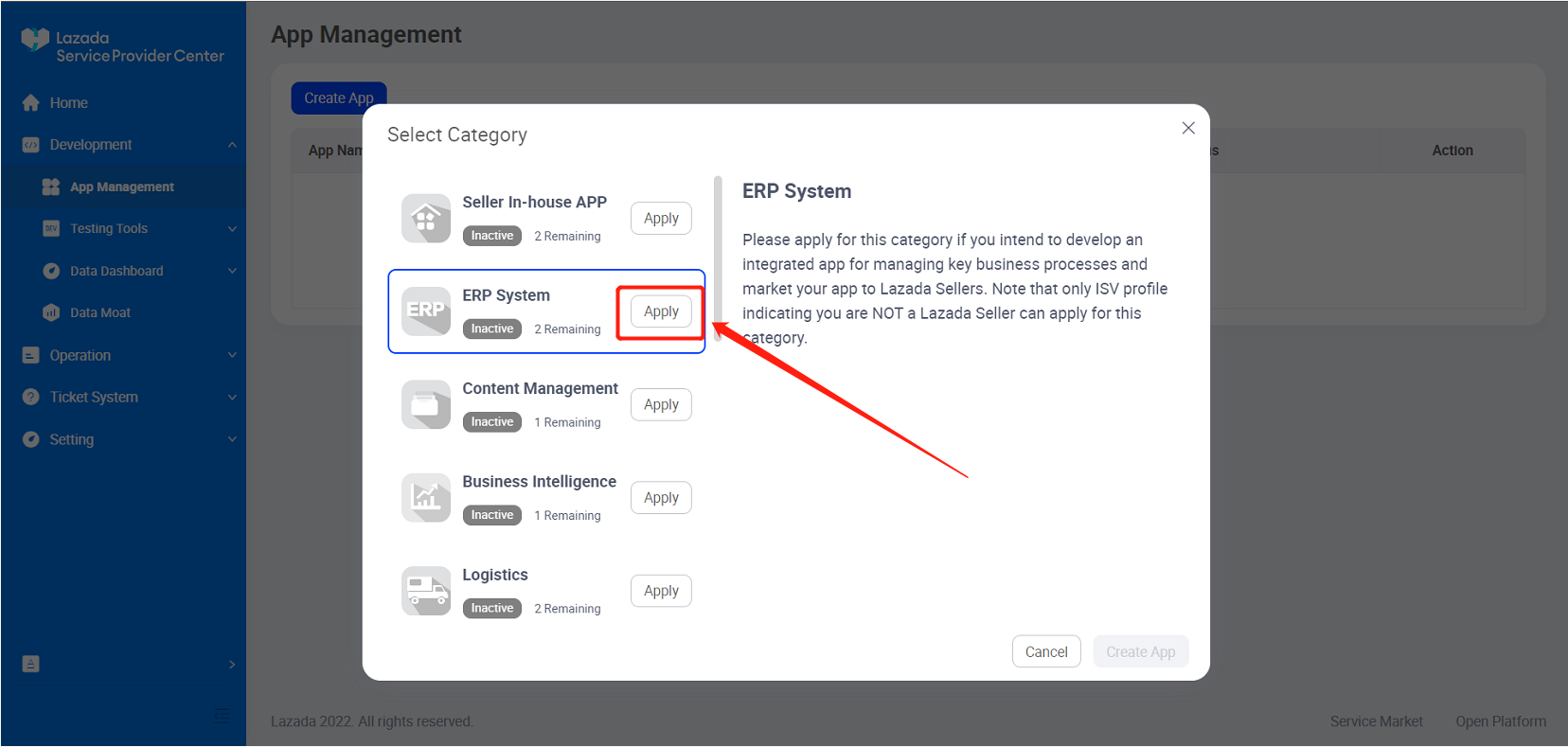
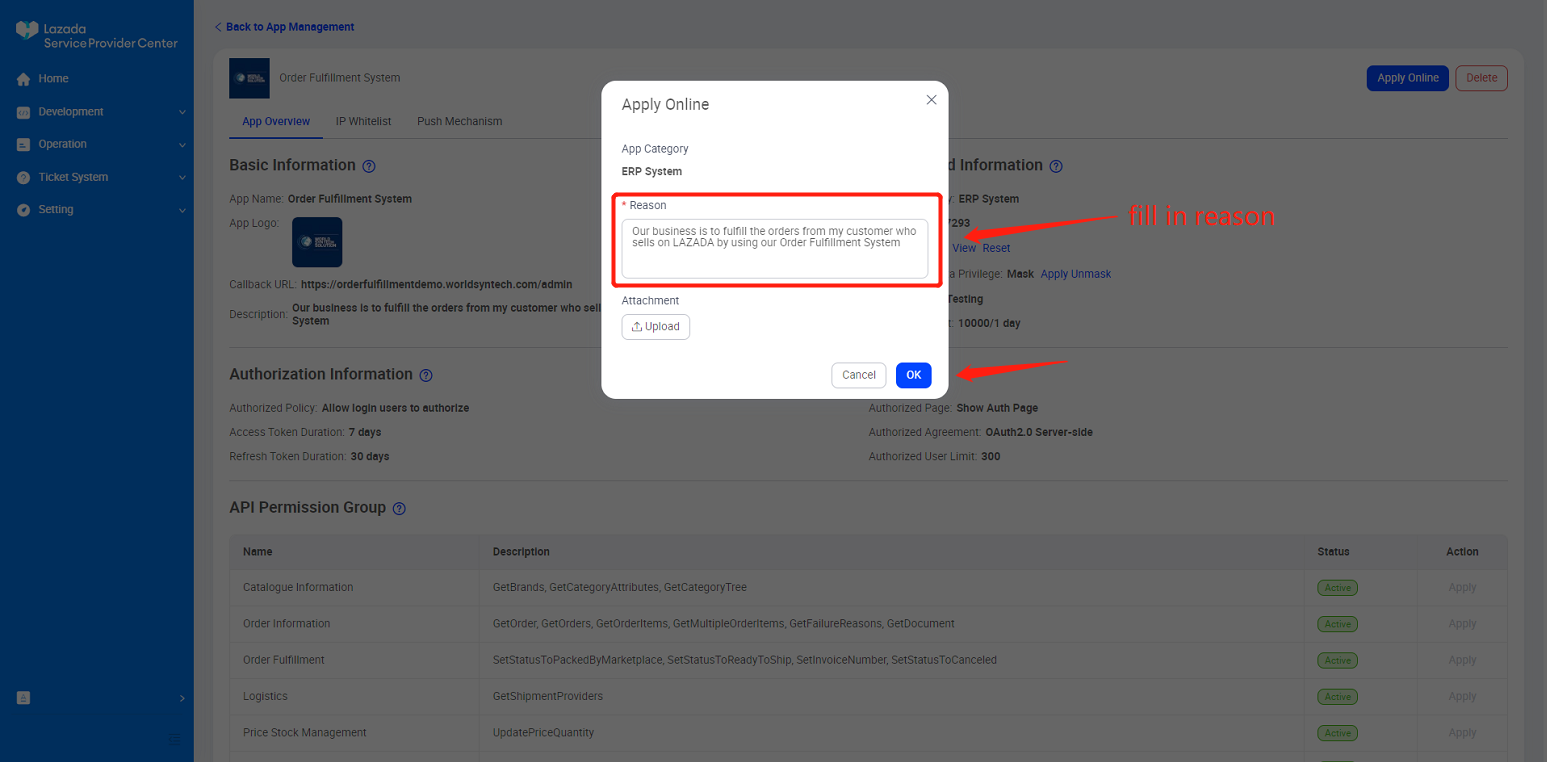
- Reason to fill in: "Our business is to fulfill the orders from my customer who sells on LAZADA by using our Order Fulfillment System".
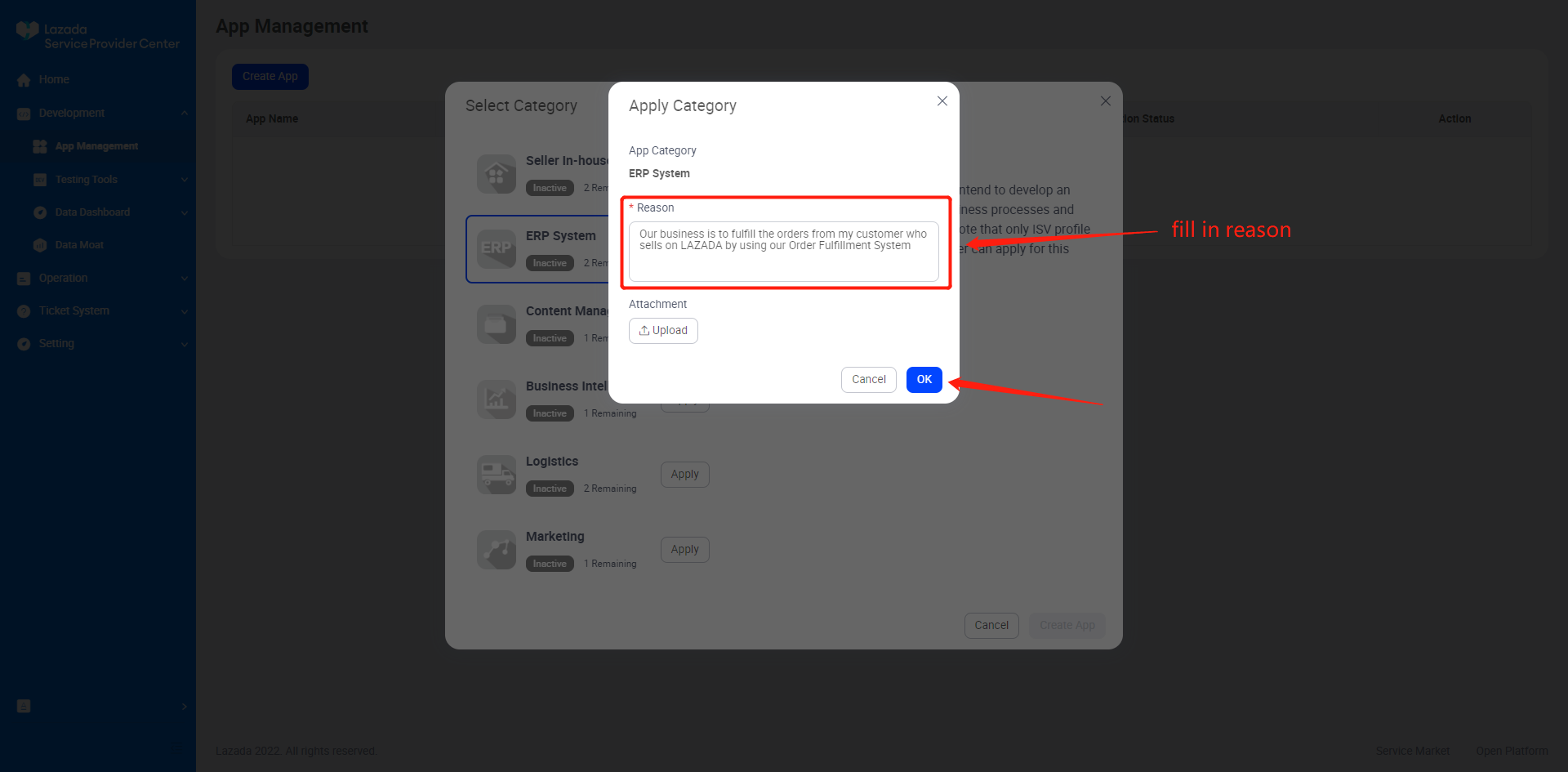
7. Continue the step below once "Pending" changed to "Active".
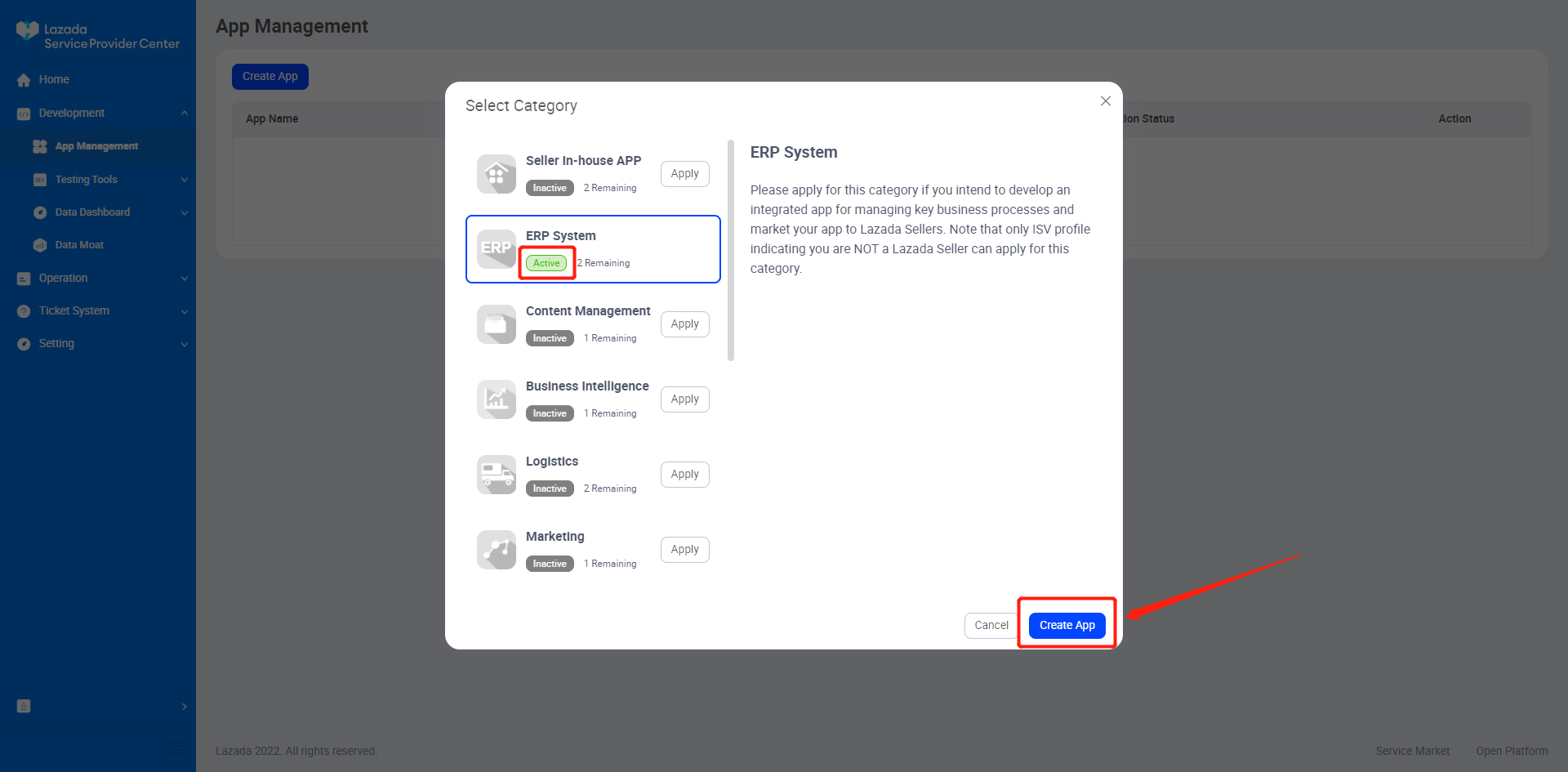
8. Fill in accordingly,
- Callback URL to fill in: https://fulfillpoint.iexpress.my/
- Description to fill in: "Our business is to fulfill the orders from my customer who sells on LAZADA by using our Order Fulfillment System".
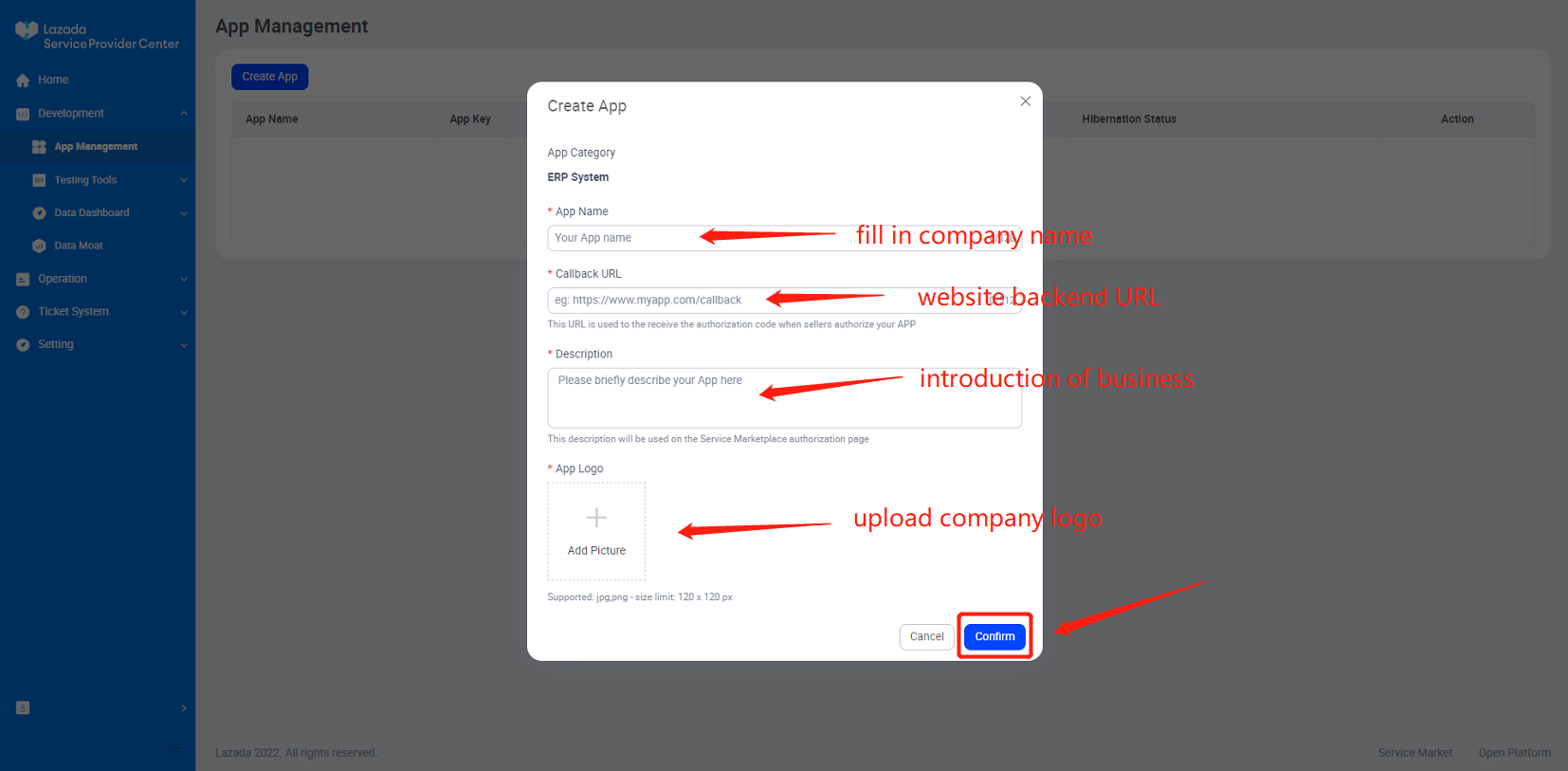
9. Next, apply ONLINE for the app.
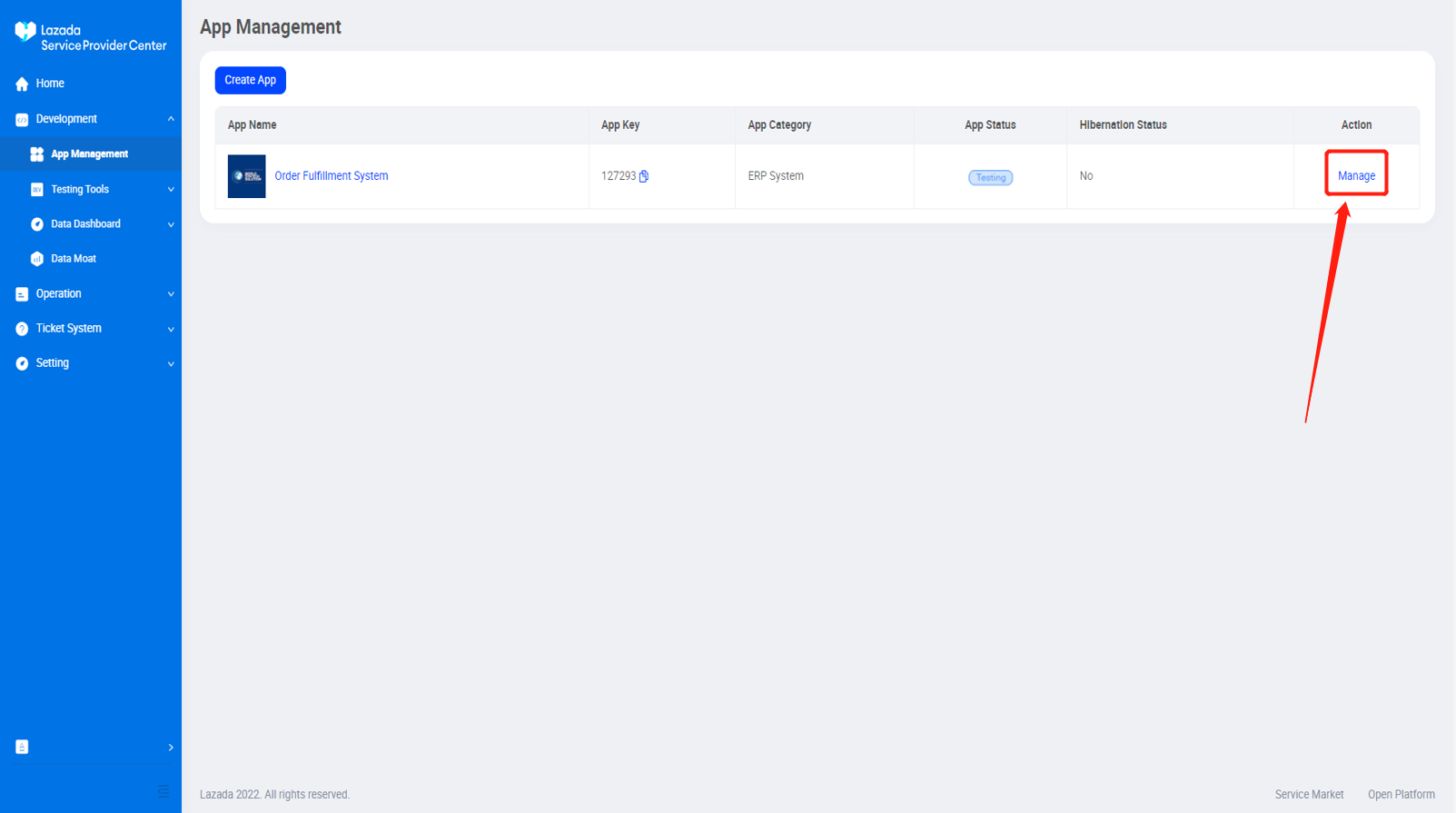
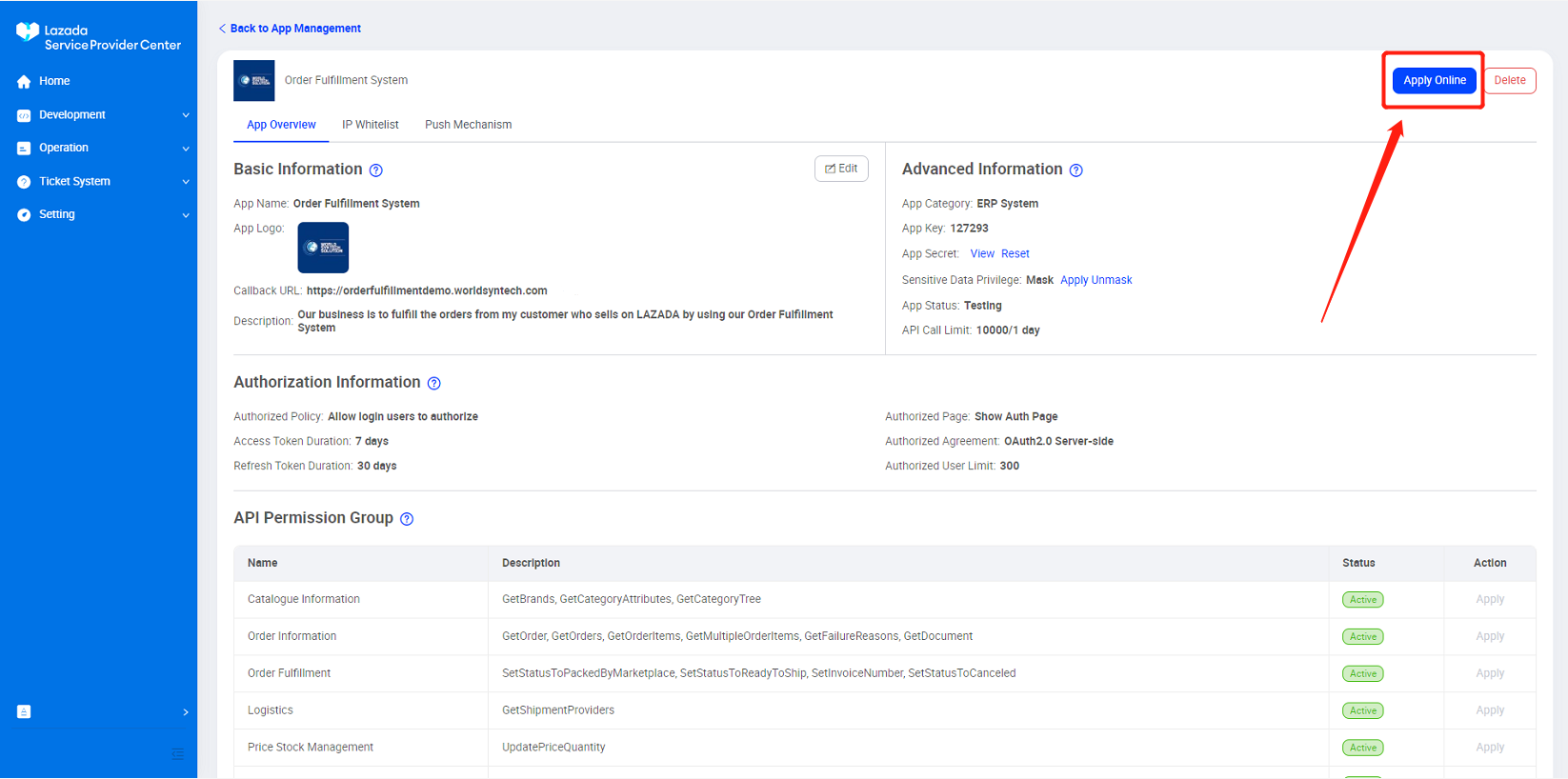
Reason to fill in: "Our business is to fulfill the orders from my customer who selss on LAZADA by using out Order Fulfillment System".
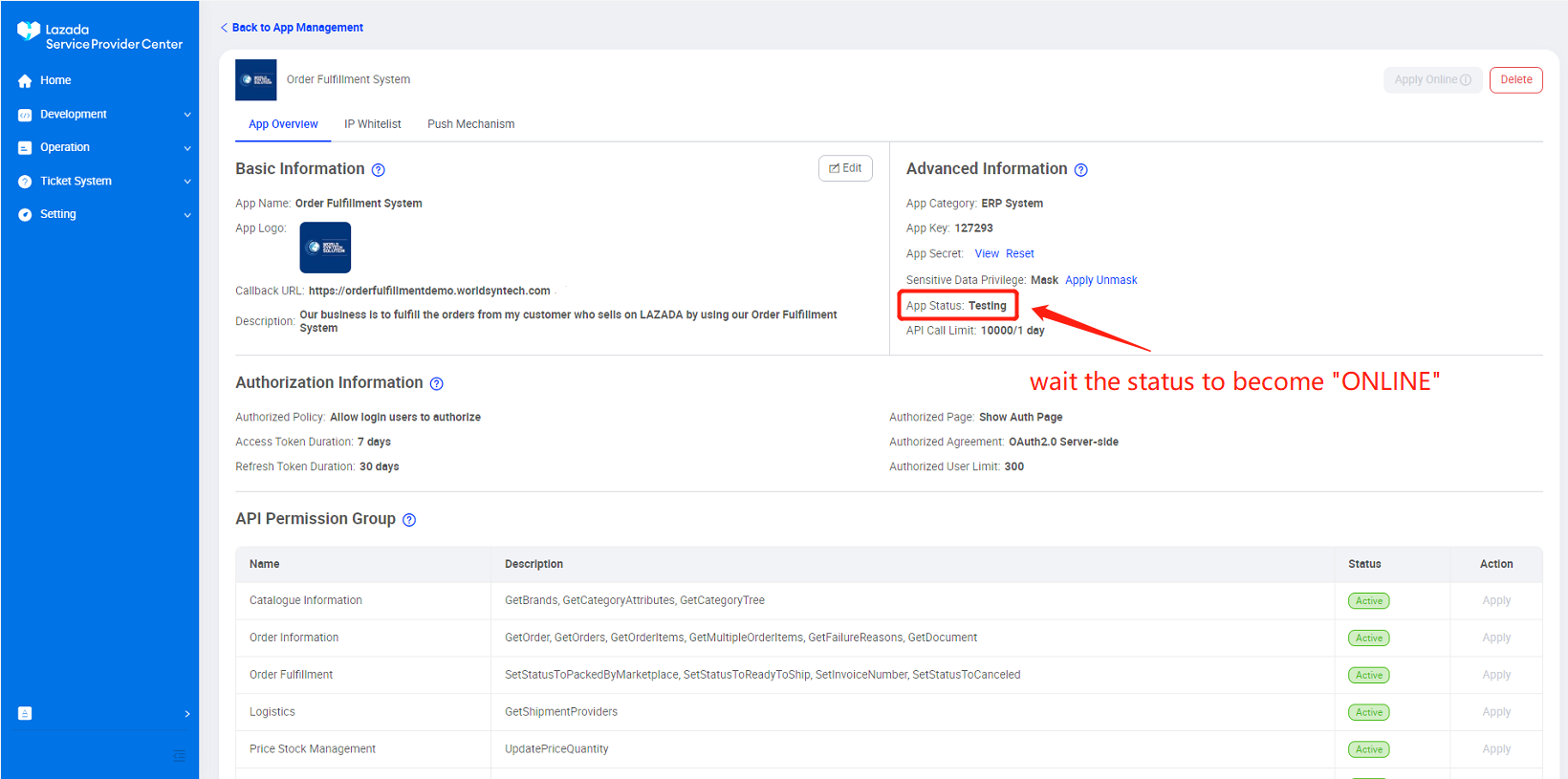
*** Please inform us to assist in unmask Sensitive Data Privilege when App Status turn online
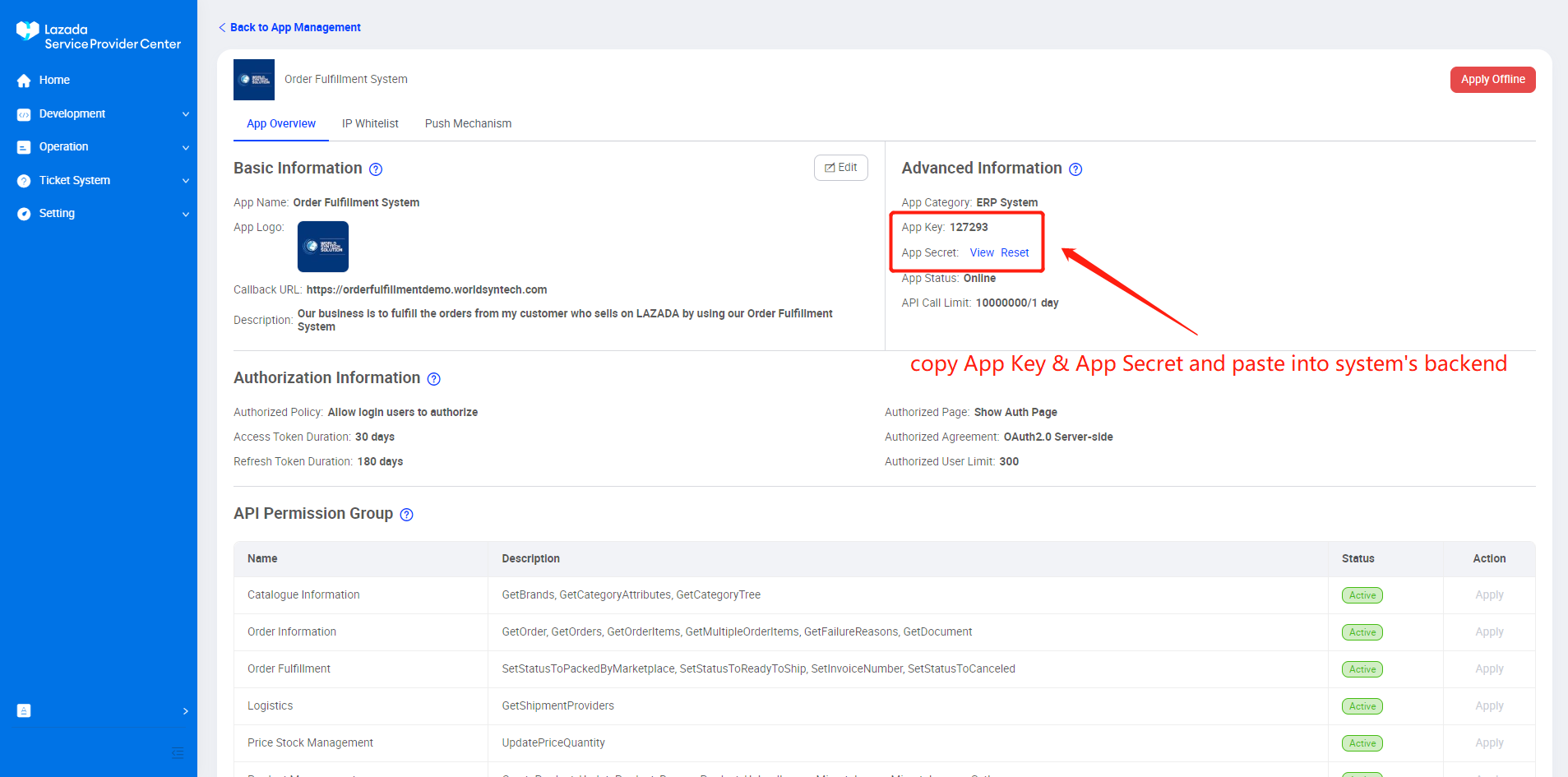
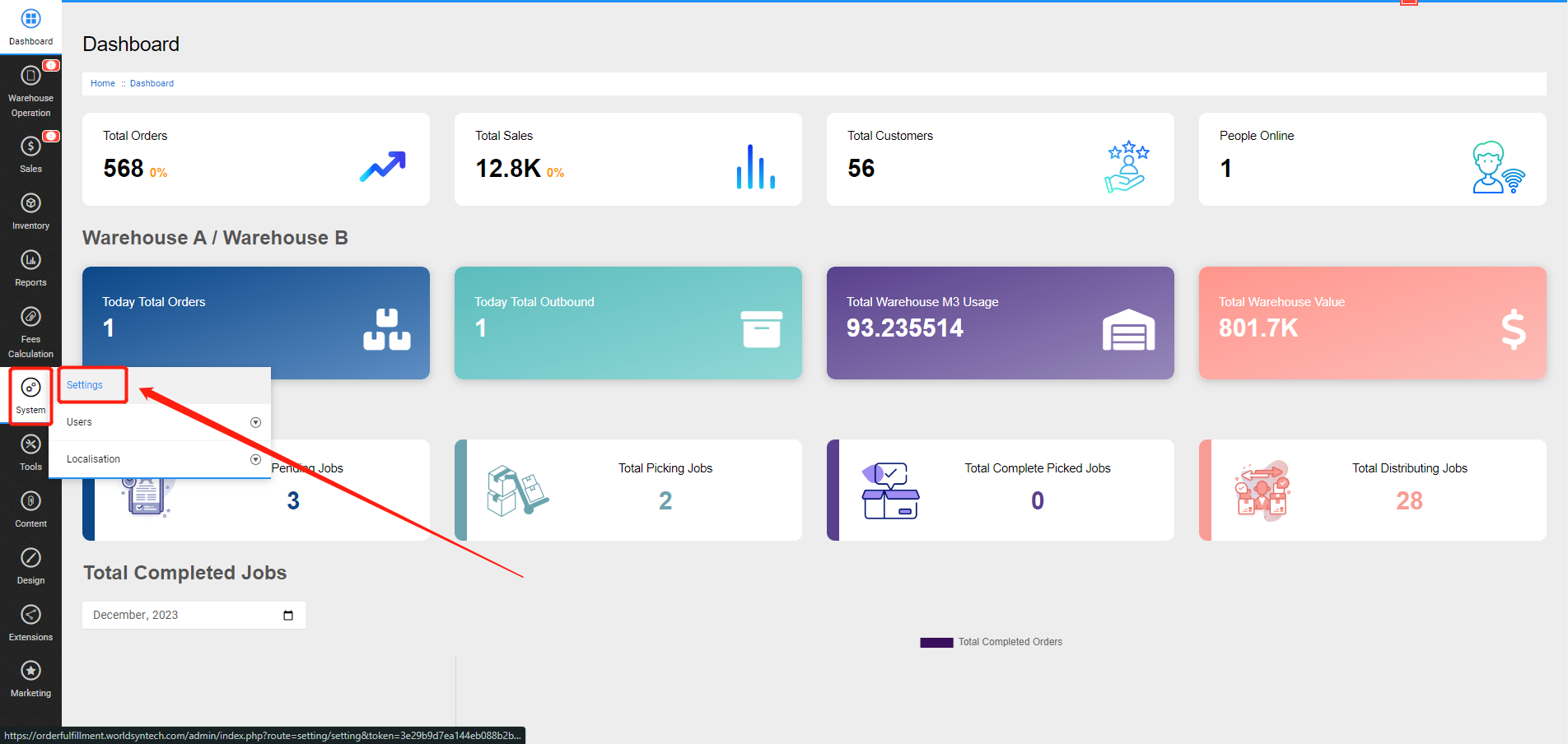
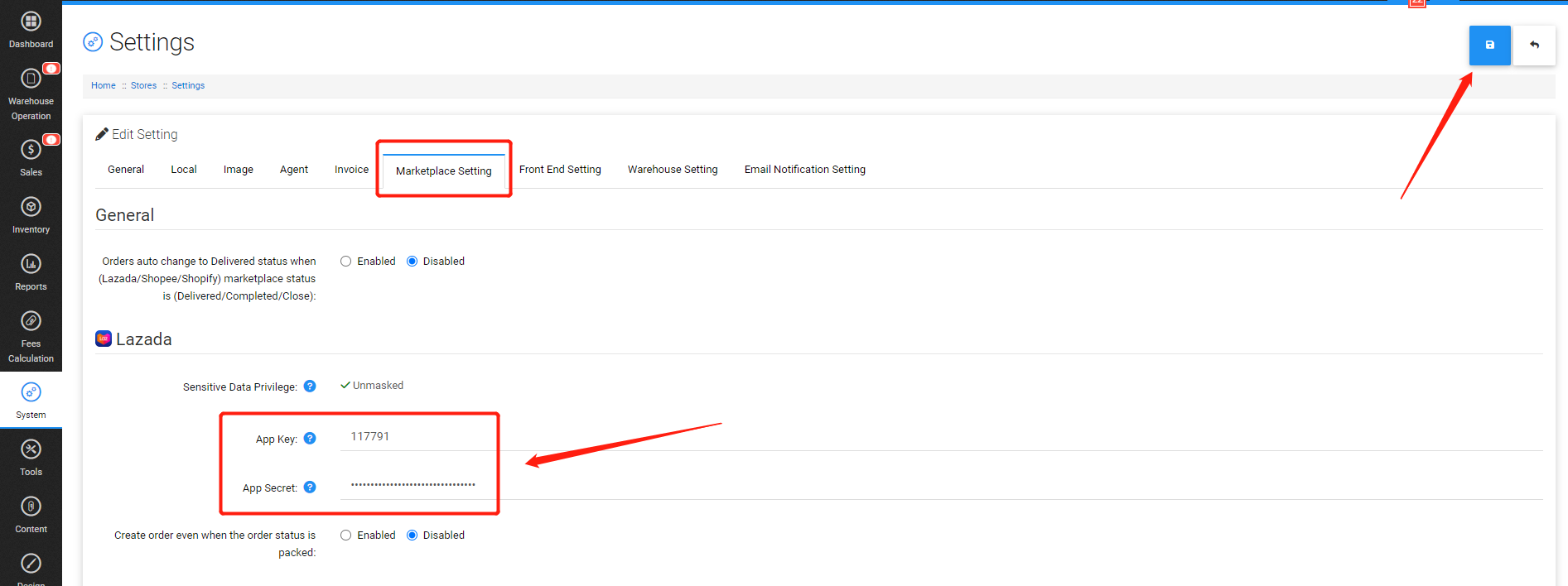
10. Please copy App Key & App Secret and fill in into your system's backend (System > Settings > Marketplace Setting > Lazada).